 Nzendo

Web, iPhone, and iPad
Nzendo, the trip planner for the whole journey.
Build routes and stays on a full-size screen, then carry the same trip on iPhone or iPad. Bookings, documents, budgets, and travellers stay together, including offline on Premium.
Free includes unlimited trips and collaborators.
As it happened
This is one trip: nine days around Iceland, from the first booking to the last morning on the road.
-
Day one · Keflavík
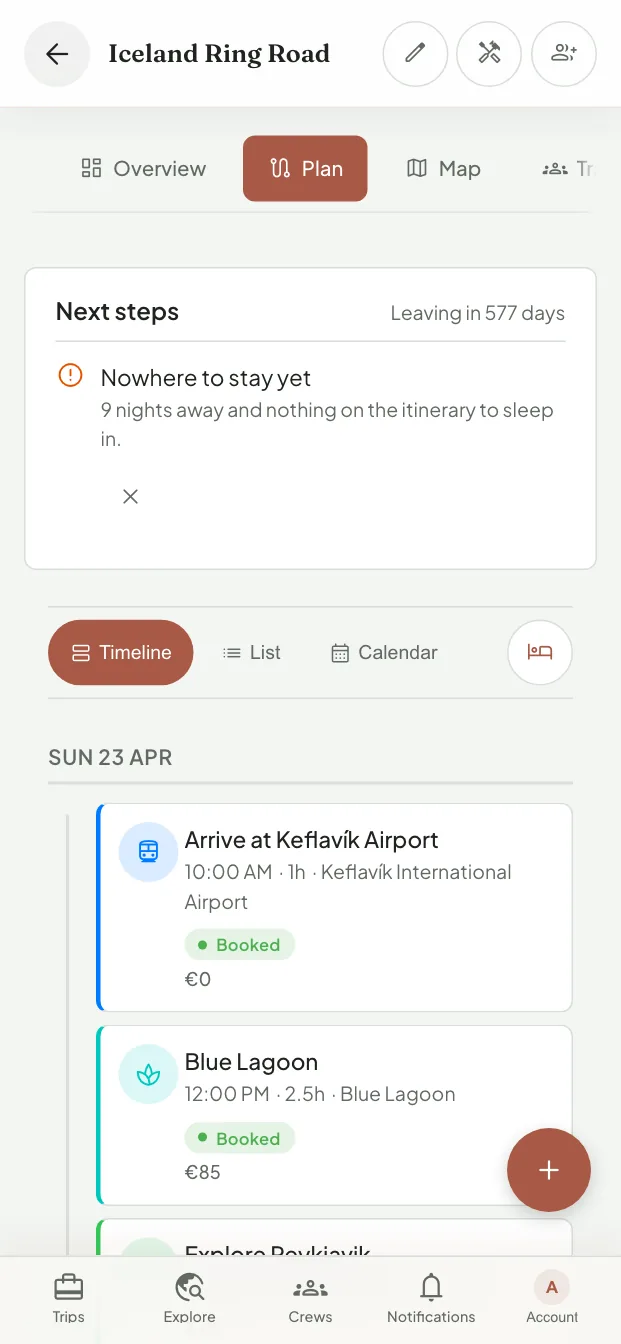
The itinerary fills itself in
Forward the confirmation email, paste the booking link, or photograph the boarding pass. Each one lands on the right day in the right order, with what it cost and whether it is confirmed. Nzendo is just as clear about what is missing, such as the nine nights on this trip that still have nowhere to sleep.
-
The whole ring road
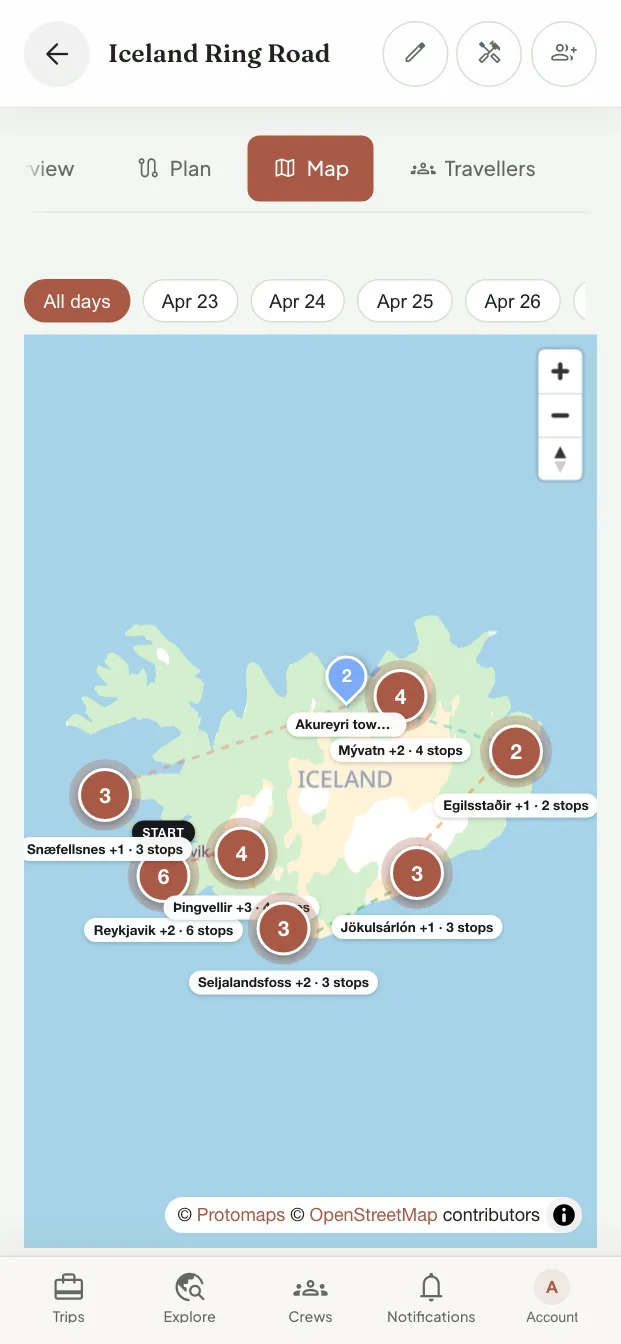
The map catches what a list cannot
The same trip drawn out, day by day or all at once. It is the quickest way to notice the drive you underestimated, or the waterfall that turns out to be three hours from the bed you booked for that night.
-
Signal or none
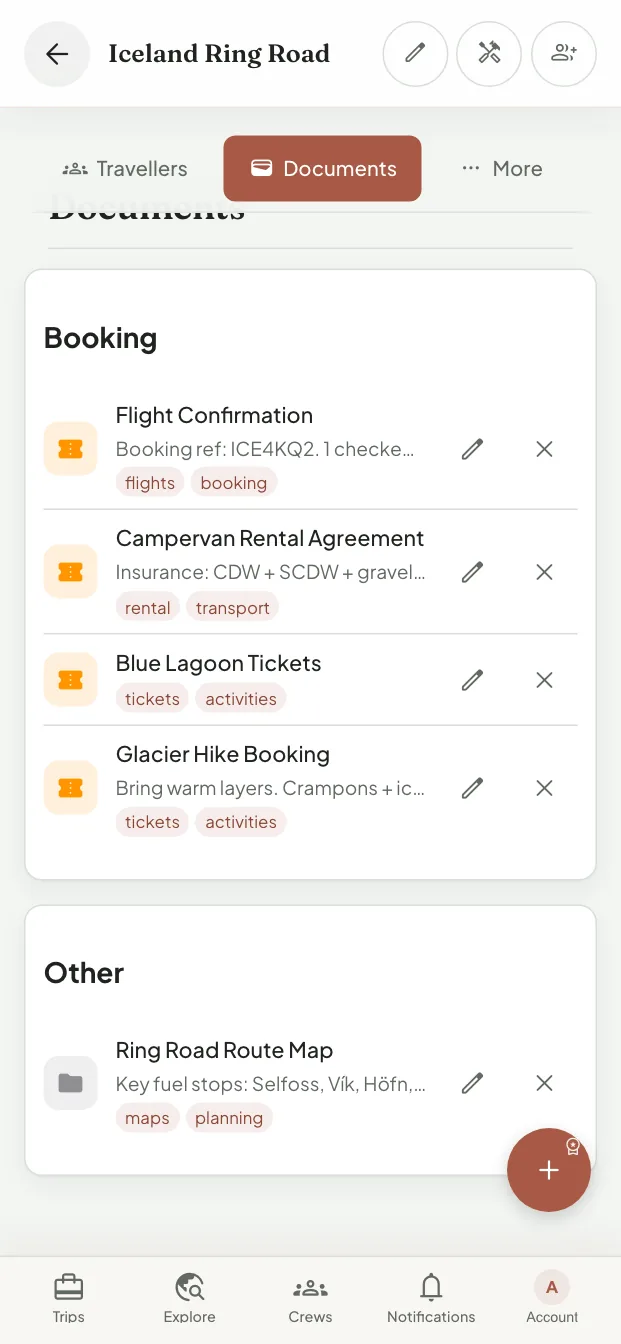
The paperwork travels with you
Flight confirmations, the campervan agreement, tickets, and insurance all sit on the trip they belong to, and they download before you fly. So when someone behind a desk asks for a booking reference, it is two taps away, signal or no signal.


The same trips on iPhone
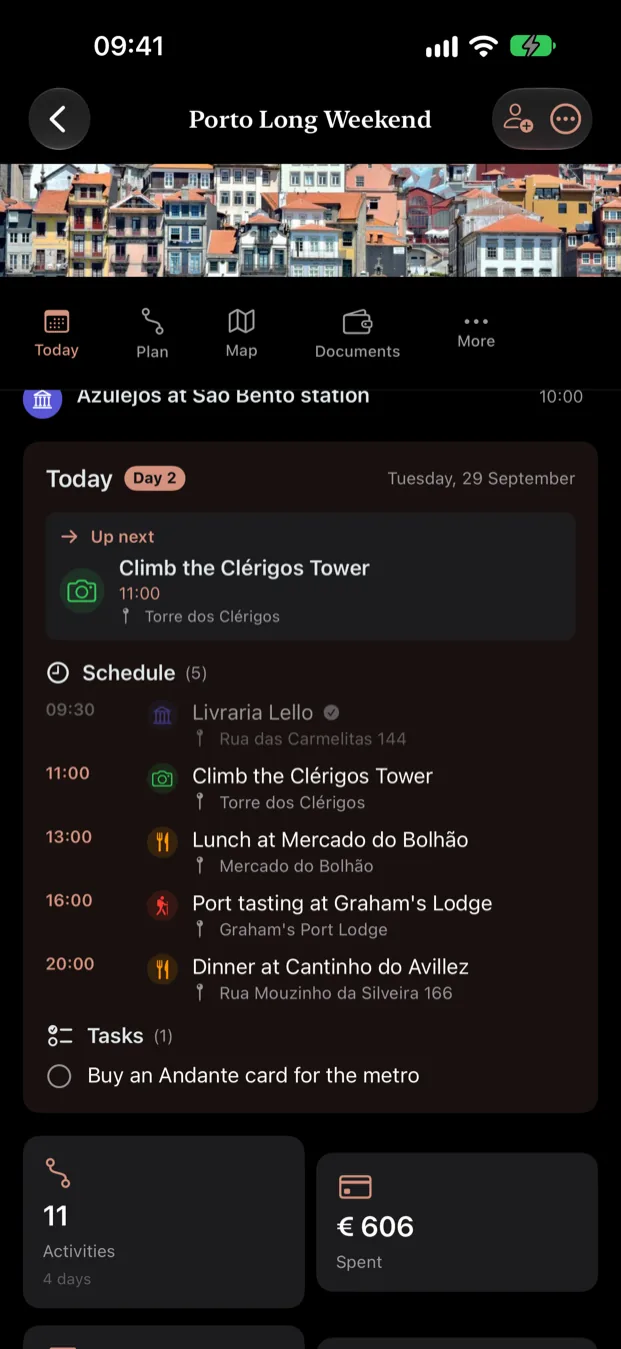
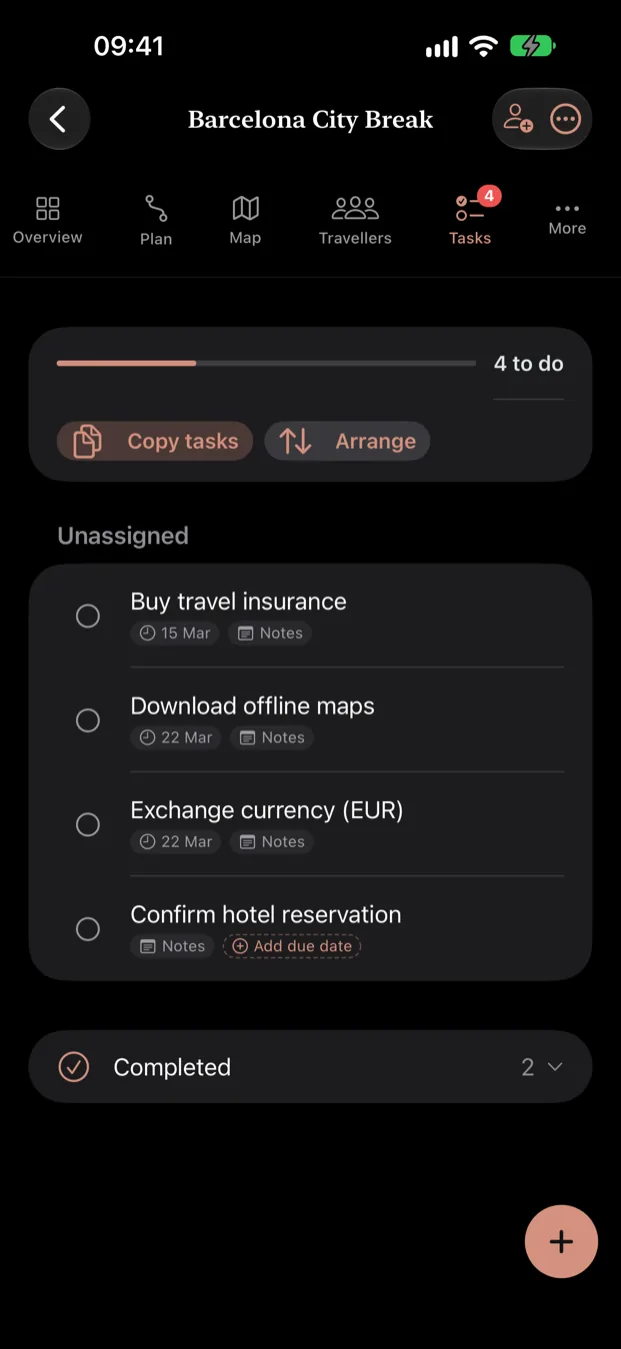
Start from a trip that already worked
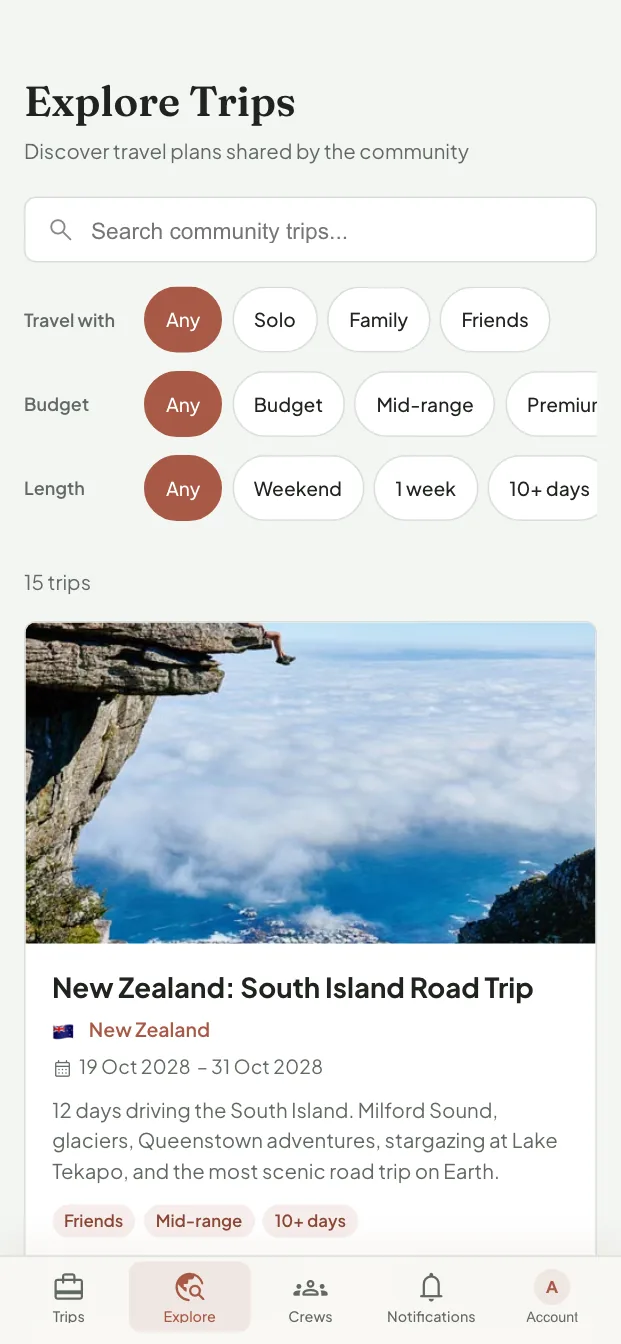
Not every trip has to start with an empty week. Explore is where travellers share the plans they actually took, day by day.
-
Explore
Someone has already done the research
Browse trips other people made public, and narrow them to the kind of trip you are actually planning: who you are travelling with, roughly what you want to spend, and how long you have. Anyone can read them; copying one takes a free account.
Copy a useful plan, move it to your dates, and edit it as your own. Private trips stay private until you choose to share them.

One trip, from the first idea to the final boarding call
Most trips end up spread across a chat thread, a cloud folder, and a dozen browser tabs. Nzendo keeps the itinerary, the bookings, your companions, and your crews in one place.
Build your itinerary from what you already have
Forward a confirmation email, paste a link, or photograph a boarding pass. Nzendo reads the dates, times, and addresses, then shows you what it found before any of it joins the trip.
Stay in sync with your companions
Invite people by email and they become companions, the travellers you have shared a trip with. Save the ones you travel with often as a crew and the next trip goes to the whole group in one tap, with everyone seeing each change as it happens.
Your trip doesn't need a signal
Your itinerary, documents, and today's plan stay on your device for planes, mountains, and foreign SIMs. You always know exactly what is downloaded and when it last synced. Offline access is part of Premium.
Your travel documents travel with you
Passports, visas, insurance, and booking confirmations live on the trip they belong to. Everyone who needs one can find it without searching an inbox, and Nzendo warns you when a passport or policy expires before you are home.
Map, calendar, tasks, packing, shared budgets with receipt scanning, settling up, traveller needs, local time zones for each booking, calendar subscriptions, live flight tracking, and trip stories with your own photos all use the same trip record. Premium keeps that record editable offline.
A trip that drives is not a list of pins
Most itinerary apps model a trip as a pile of places attached to one city. That works for a long weekend and falls apart the moment you are driving between six of them.
Legs, not pins
A drive has a start, an end, a distance, and a duration. Nzendo stores all four, so each day shows what it actually asks of you and the map draws the route rather than scattering markers.
One journey, several modes
Drive to the station, put the car on the train, cross the pass, drive on. That is one journey with four legs, and it reads as one thing instead of four unrelated stops. Trains, ferries and car trains get the same treatment flights do, including the deadline for being on the ramp.
Tell it how far you will drive
Set the longest stretch you want to do in one go and any day that breaks the rule is flagged while you can still change it. Useful on your own, and hard to argue with when there is a three year old in the back.
Where you sleep shapes the day
Plan the nights before anything is booked. The itinerary knows which city you wake up in, which nights still have nowhere to stay, and which are planned but not yet booked.
Questions before you start
Can I plan a complete trip on Free?
Yes. Free includes unlimited trips and collaborators, itinerary views, budgets, calendar sync, and limited imports and documents.
What works without a signal?
Premium saves the itinerary, tasks, packing, expenses, traveller details, and selected documents on the device. Offline edits sync after reconnecting.
What happens when Premium ends?
Your trips and existing documents remain. Free limits apply only to new activity.
Can I start from someone else's trip?
Yes. Anyone can read the trips travellers have made public in Explore. To copy one, create a free account, then move it to your dates and edit it as your own.
Where can I use Nzendo?
The full planner works on the web, iPhone, and iPad. On Android, install the web app from your browser.
Which languages does it speak?
English, Dutch, and French.
Start planning your first trip
Start on the web, iPhone, or iPad, invite the people coming with you, and see how the trip holds up. The free plan runs a real trip, not a demonstration.
Start planningNot ready for a blank trip? Start from someone else's trip